VirtualLab Fusion 2026.2
Build: 2026.2 (Build 1.66)
Release Date: July 1, 2026
New Twins: more than 7
Install Type: Full Installation
Required Update Service: Q2/2026
Executive Summary
VirtualLab Fusion 2026.2 strengthens practical optical engineering workflows, expands the available set of Optical Digital Twins, and improves everyday work in optical design, modeling, and analysis.
Surrogate-model evaluation is expanded for metalens design, making it easier to inspect trained models, check valid parameter ranges, and use surrogate-based results transparently. The release also introduces the new Wavefront Phase Modifier twin family and adds aperture-capable variants for selected ideal plate components.
Several workflow and usability improvements make working with VirtualLab Fusion more transparent and robust. Region handling has been improved for geometry- and region-based modeling tasks. New global application settings give users more control over internet connection handling and global user interface customization via themes.
VirtualLab Fusion 2026.2 also refines public twin names and codes to improve terminology, consistency, and identification in the Optical Digital Twin Hub. For developers and advanced users, the new VLF Programming Reference adds improved navigation, search previews, dark mode support, and links to Microsoft .NET documentation.
Surrogate Model Evaluation and Query Tools
VirtualLab Fusion 2026.2 extends the surrogate-model workflow introduced for metalens design in VirtualLab Fusion 2026.1.
- Surrogate models can now be evaluated directly, making it easier to analyze their optical response before using them in a metasurface design workflow.
- The new query tools include Forward Query (1D), Forward Query (2D), and the Design Related Scan with its Linear Common-Phase Design Query.
- These tools help users inspect how local optical quantities depend on wavelength, incident angles, polarization, and structure parameters.
- The design-related workflow also supports the evaluation of common-phase behavior, structure selections, and quantization effects.


Wavefront Phase Modifier Twins
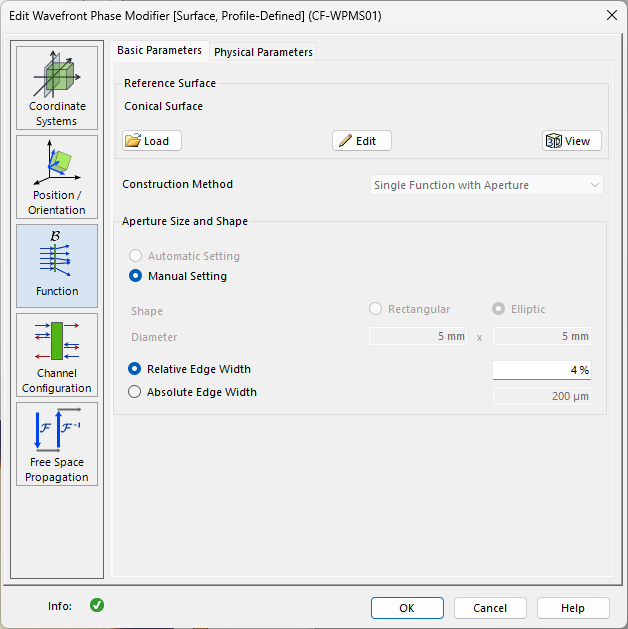
VirtualLab Fusion 2026.2 introduces the new Wavefront Phase Modifier twin family.
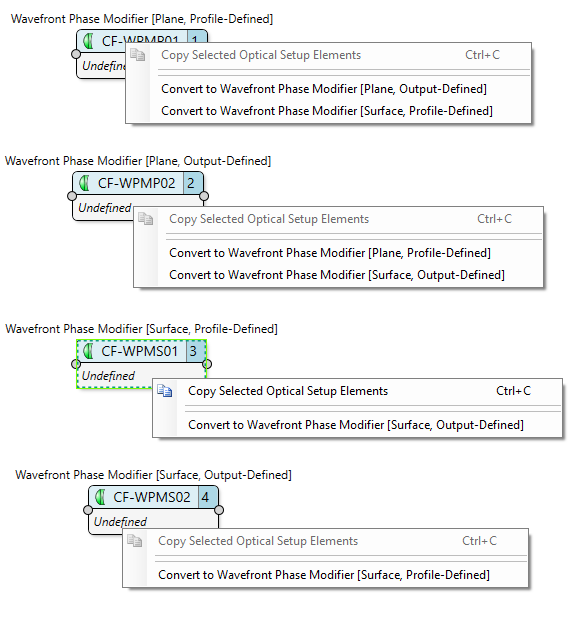
- These twins modify the wavefront phase on plane or curved supports.
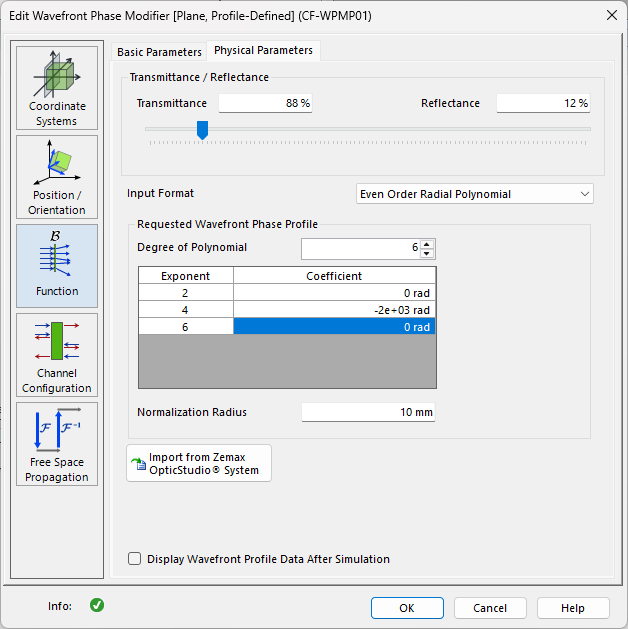
- Profile-defined variants use a prescribed wavefront phase profile directly.
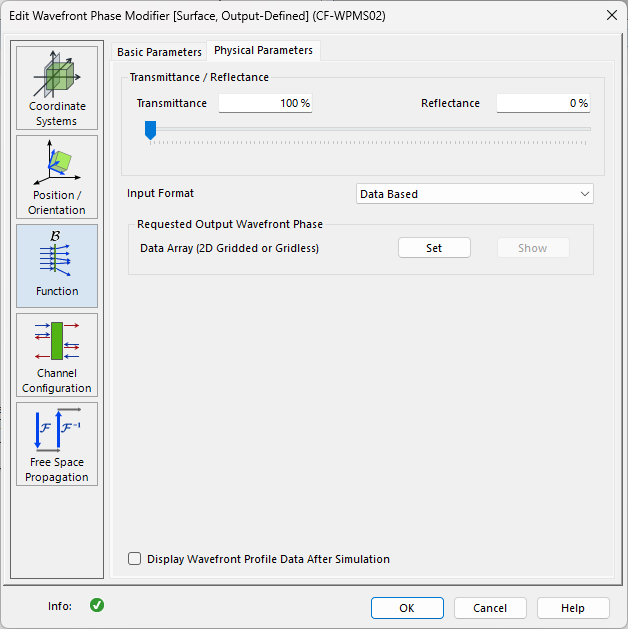
- Output-defined variants start from the desired outgoing wavefront phase and derive the required phase modification from the requested output behavior.
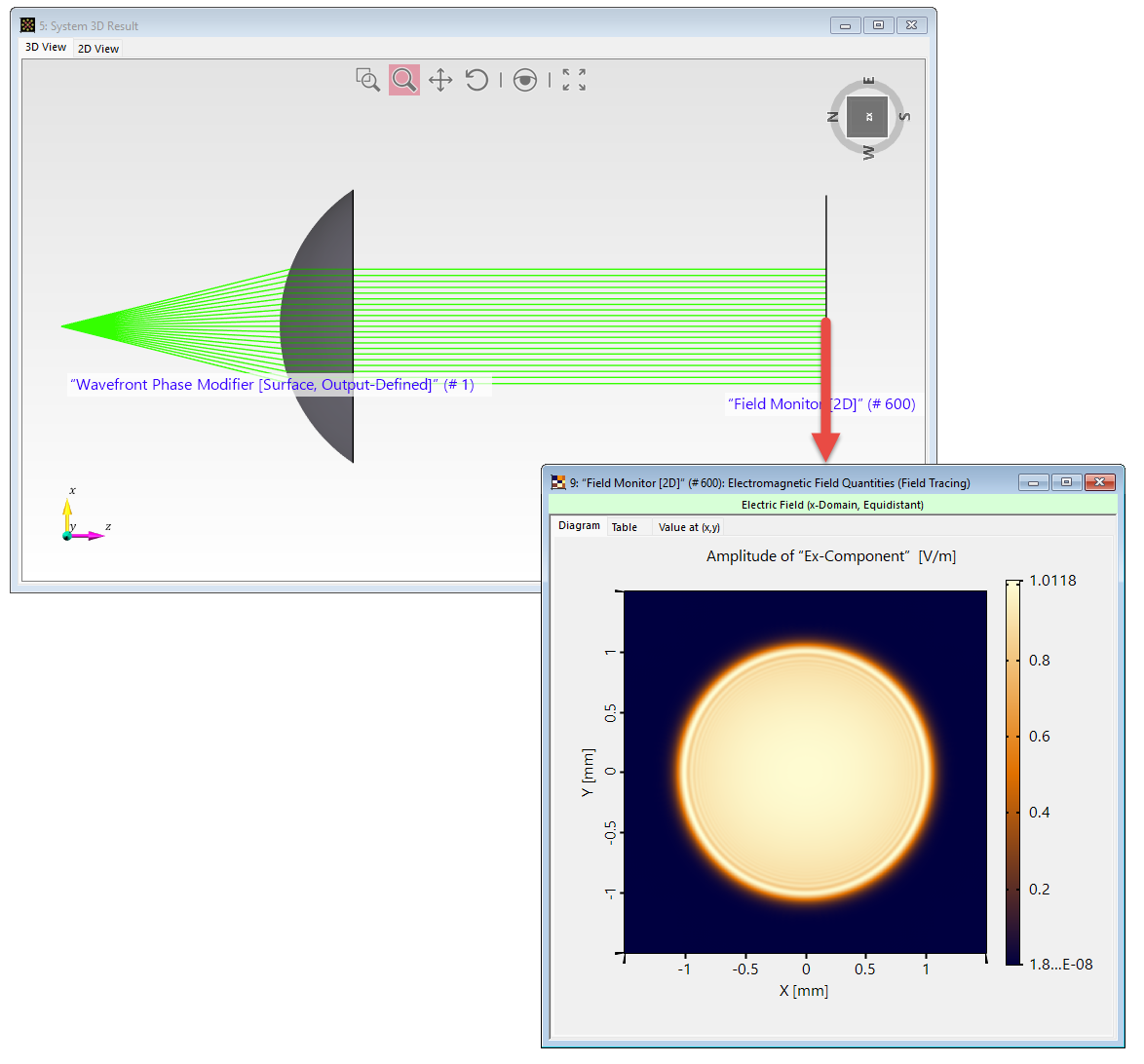
- This enables workflows such as automatic collimation from a curved surface without manually defining the required phase profile.
| Code | Twin | Support | Workflow |
|---|---|---|---|
| WPMS01 | Wavefront Phase Modifier [Surface, Profile-Defined] | Surface | Profile-Defined |
| WPMP01 | Wavefront Phase Modifier [Plane, Profile-Defined] | Plane | Profile-Defined |
| WPMS02 | Wavefront Phase Modifier [Surface, Output-Defined] | Surface | Output-Defined |
| WPMP02 | Wavefront Phase Modifier [Plane, Output-Defined] | Plane | Output-Defined |
Ideal Plate Components with Aperture Variants
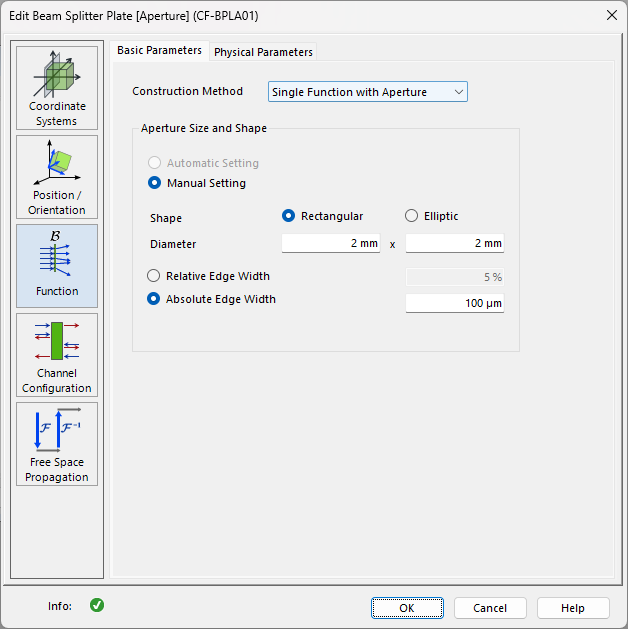
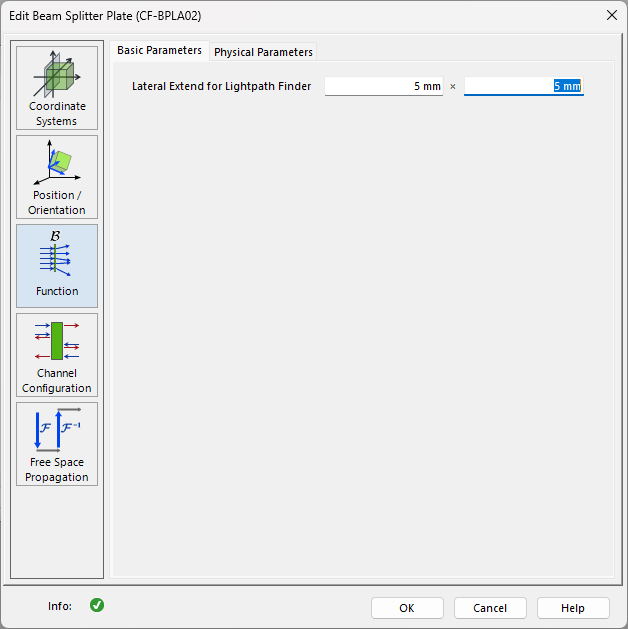
Selected ideal plate components now distinguish between a standard component variant and an explicit [Aperture] variant.
- The standard variant is available without an additional suffix.
- The aperture-capable version remains available with the [Aperture] label.
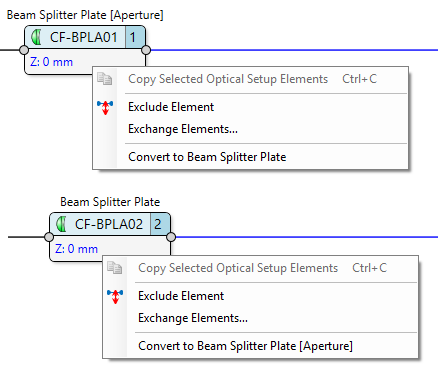
- Compatible variants can be converted directly.
- Users can switch between a standard plate component and its [Aperture] variant without rebuilding the component setup manually.
| Aperture Variant | Standard Variant |
|---|---|
| CF-BPLA01 Beam Splitter Plate [Aperture] | CF-BPLA02 Beam Splitter Plate |
| CF-MIPL01 Ideal Plane Mirror [Aperture] | CF-MIPL02 Ideal Plane Mirror |
| CF-BPPL01 Polarizing Beam Splitter Plate [Aperture] | CF-BPPL02 Polarizing Beam Splitter Plate |
Twin Renaming and Code Updates
Several public twin names and codes have been updated to improve terminology and make the Optical Digital Twin library easier to navigate.
- The changes focus on clearer user-facing names.
- Implementation details are avoided in public twin names where possible.
- Public terminology has been updated as shown in the table below, including the transition from Light Guide to XR Waveguide.
| Old Code | New Code | Old Name | New Name |
|---|---|---|---|
| CF-TRAN01 | CF-FTDD01 | Data-Defined Transmission | Data-Defined Field Transfer Function |
| CF-UDTR01 | CF-FTUD01 | User-Defined Transmission | User-Defined Field Transfer Function |
| CF-TGRC01 | CF-FTRC01 | Rectangular Grating [Transmission] | Rectangular Grating [Field Transfer Function] |
| CF-TGSW01 | CF-FTSW01 | Sawtooth Grating [Transmission] | Sawtooth Grating [Field Transfer Function] |
| CF-TGSI01 | CF-FTSI01 | Sinusoidal Grating [Transmission] | Sinusoidal Grating [Field Transfer Function] |
| CF-TGTR01 | CF-FTTR01 | Triangular Grating [Transmission] | Triangular Grating [Field Transfer Function] |
| CF-PPAB01 | CF-WPAB01 | Wavefront Phase Plate [Aberrations] | Wavefront Phase Modifier [Aberrations] |
| CF-PPLN01 | CF-WPLN01 | Wavefront Phase Plate [Linear] | Wavefront Phase Modifier [Linear] |
| CF-PPSP01 | CF-WPSP01 | Wavefront Phase Plate [Spherical] | Wavefront Phase Modifier [Spherical] |
| CF-FPRC01 | CF-FPRC01 | Field Phase Removal | Field-Phase Removal |
| CF-PMST01 | CF-PMST01 | Phase Mask [Stitching-Error] | Phase Mask [Stitching Error] |
| CF-ILSU01 | CF-ILSU01 | Ideal Lens [1f-Setup] | Ideal Lens [1f Setup] |
| CF-ILSU02 | CF-ILSU02 | Ideal Lens [2f-Setup] | Ideal Lens [2f Setup] |
| CS-LIGU01 | CS-LIGU01 | Light Guide | XR Waveguide |
Usability and Application Settings
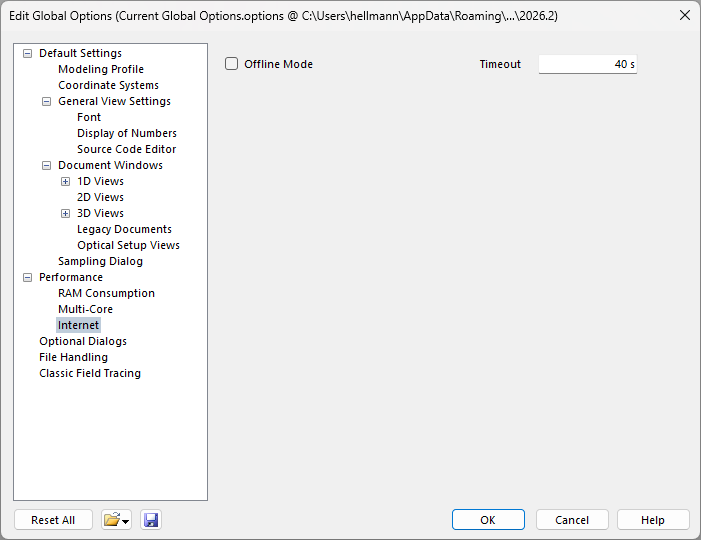
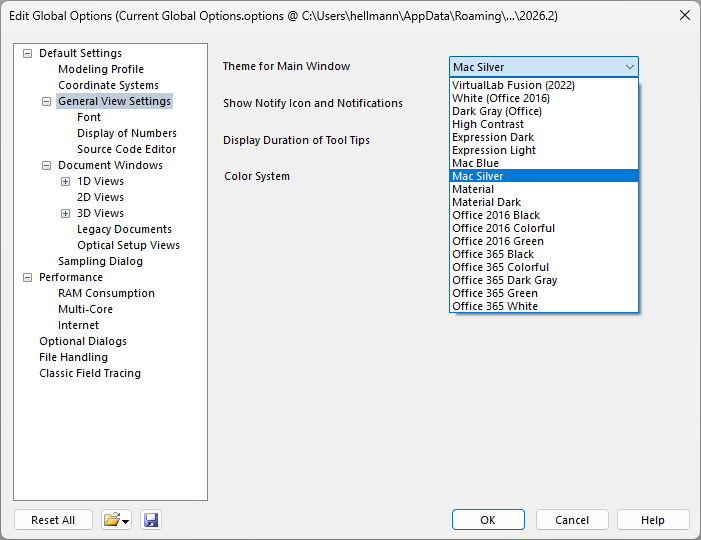
VirtualLab Fusion 2026.2 adds global options for controlling online behavior and refines the available main-window themes.
- New global settings provide more control in restricted network environments.
- Offline behavior and internet connection handling can now be configured more directly.
- The available main-window themes have been refined and remain selectable in the global view settings.
View and Visualization Improvements
VirtualLab Fusion 2026.2 improves several view and visualization workflows for inspecting data, media, and 3D results.
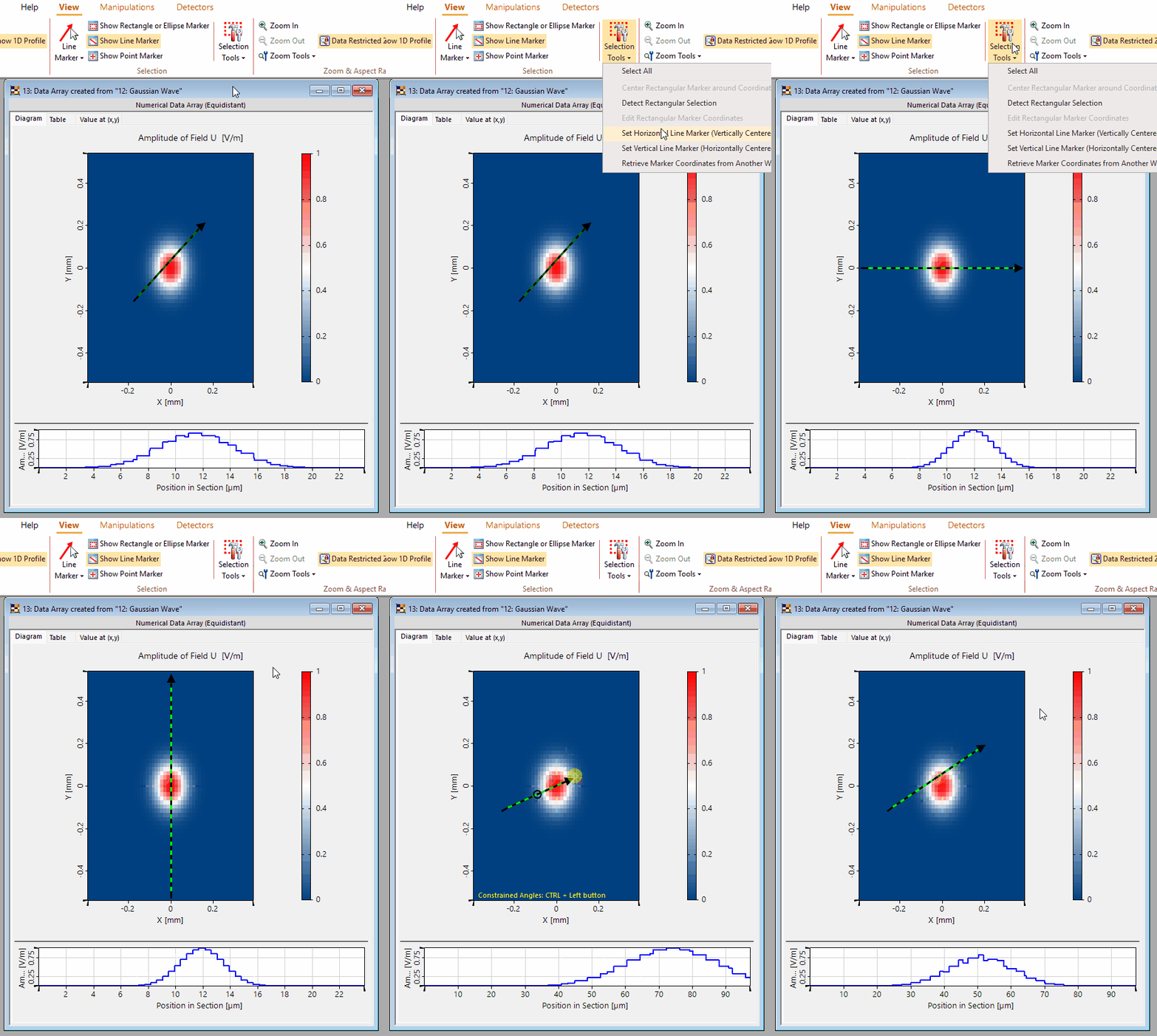
- New tools simplify profile inspection of 2D Data Arrays.
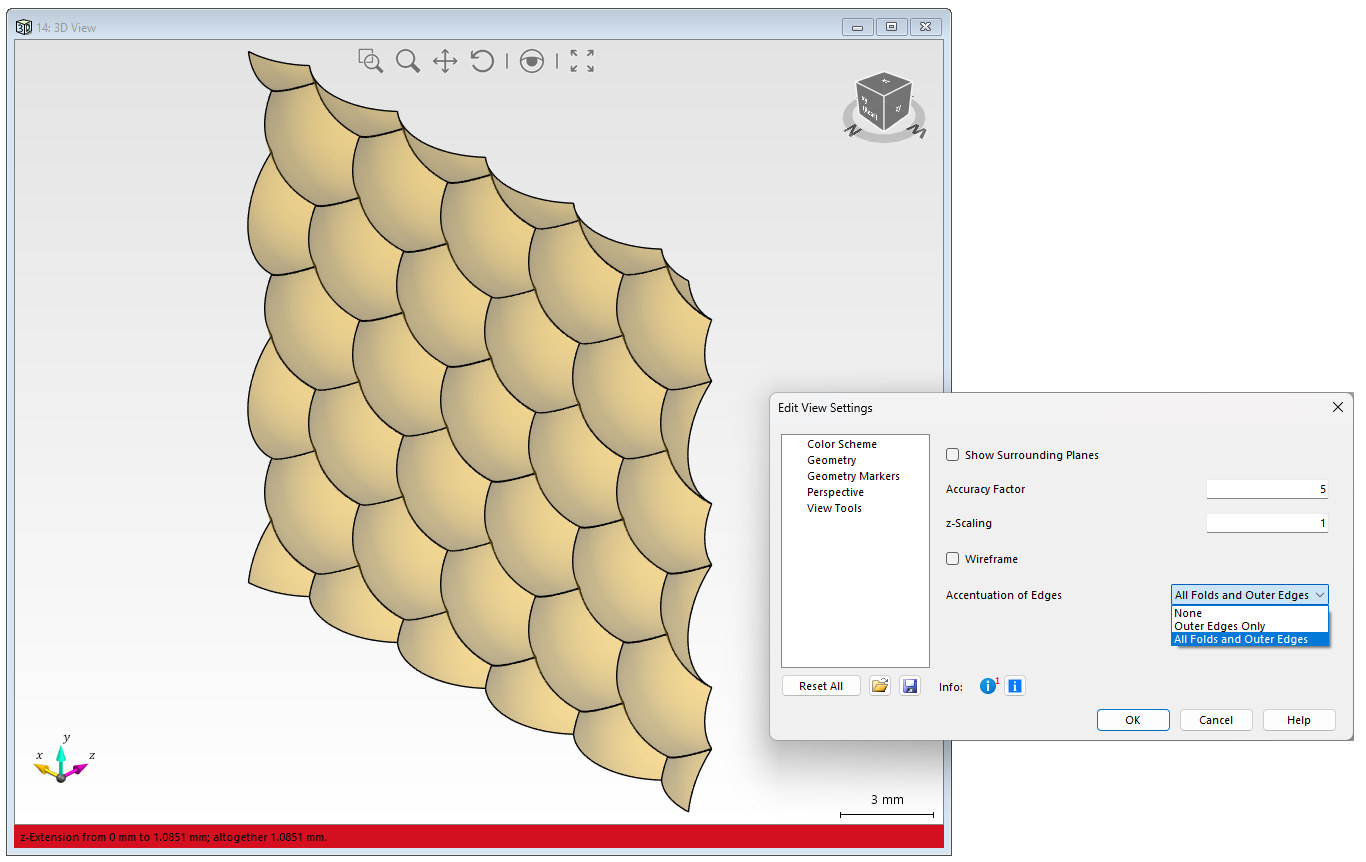
- 3D edge display now offers more control over edge accentuation, including outer edges and folds.
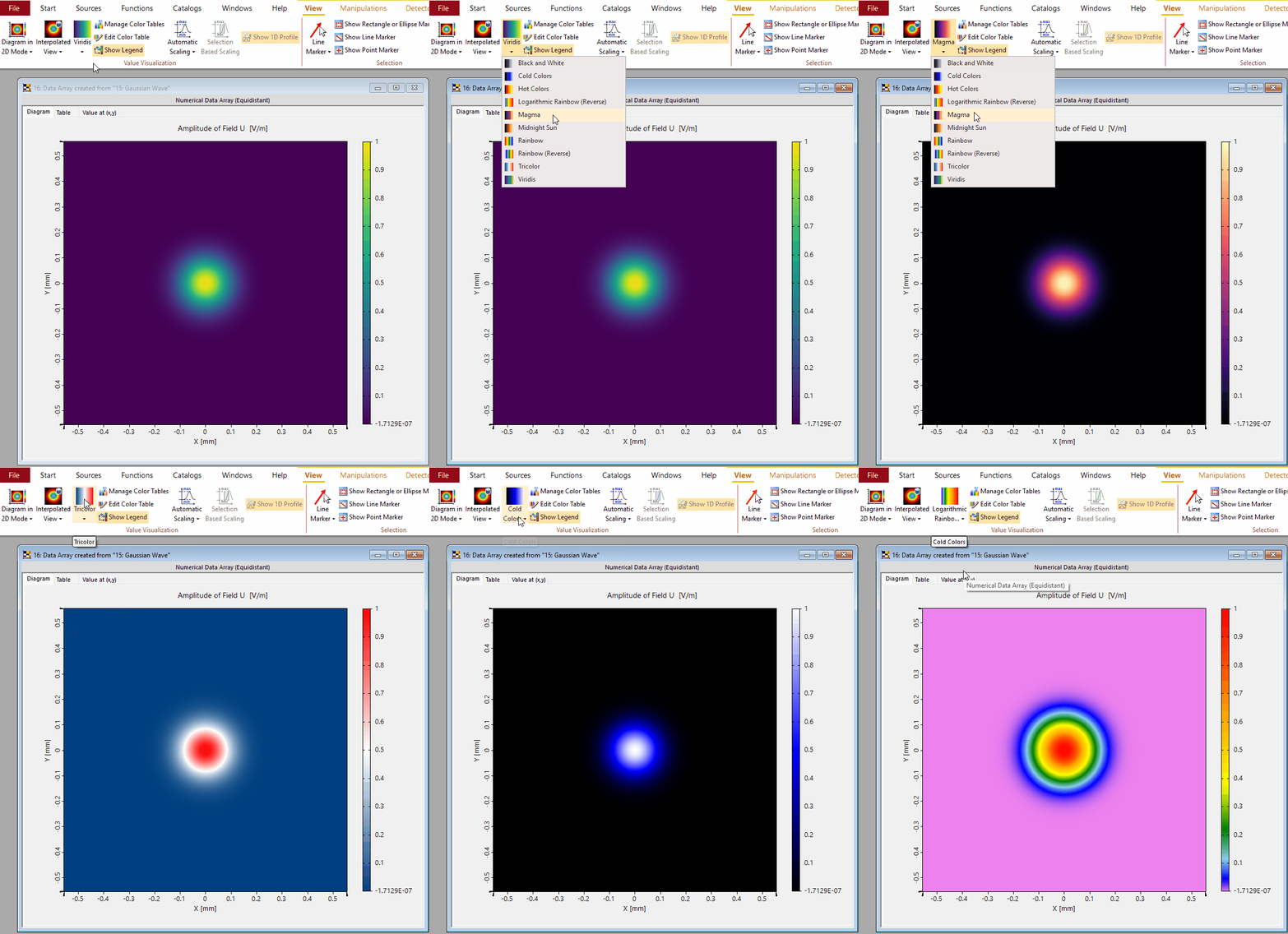
- Color table handling has been extended with additional color tables and improved control of displayed value visualization.
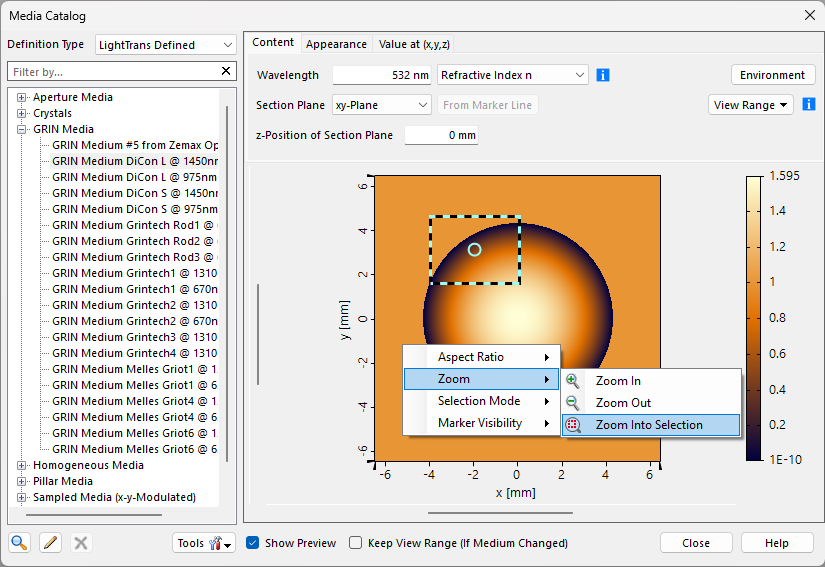
- Media previews are easier to explore by zooming into a selected region.
Optical Media and Setup Workflow Improvements
VirtualLab Fusion 2026.2 refines several optical setup workflows, especially where media definitions, source-plane settings, and order-specific component placement are involved.
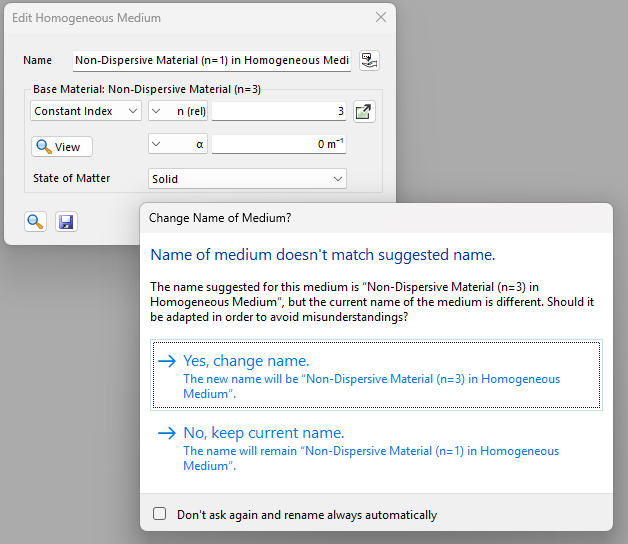
- A homogeneous medium with a constant refractive index can now be defined relative to a base material.
- This avoids the need to create a dedicated catalog material for simple relative-index use cases and helps keep setup definitions easier to maintain.
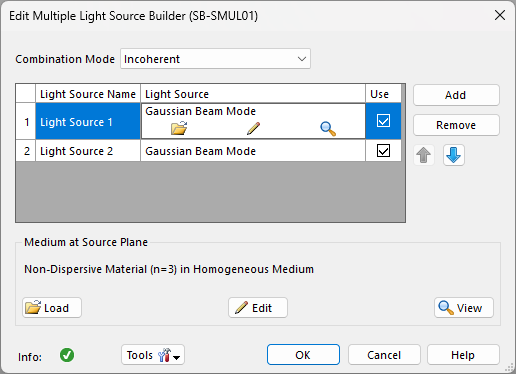
- The medium at the source plane can now be defined directly in the Multiple Light Source Builder.
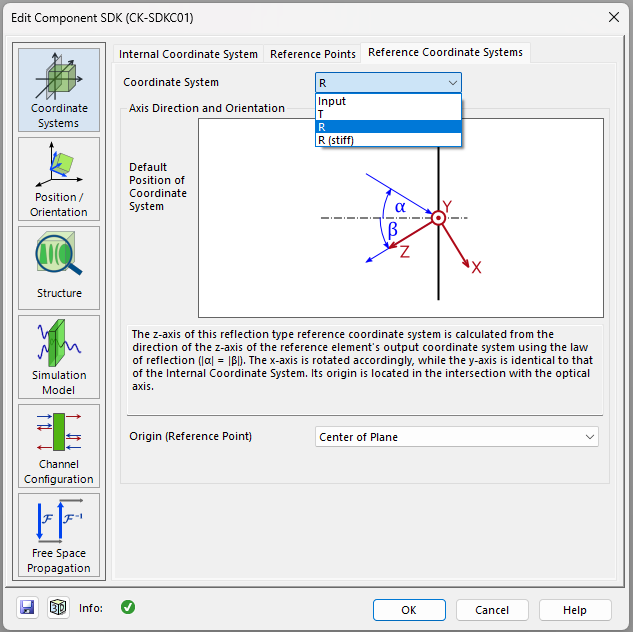
- Additional reference coordinate systems support workflows involving reflected orders and order-specific component placement.
Improved Region Handling
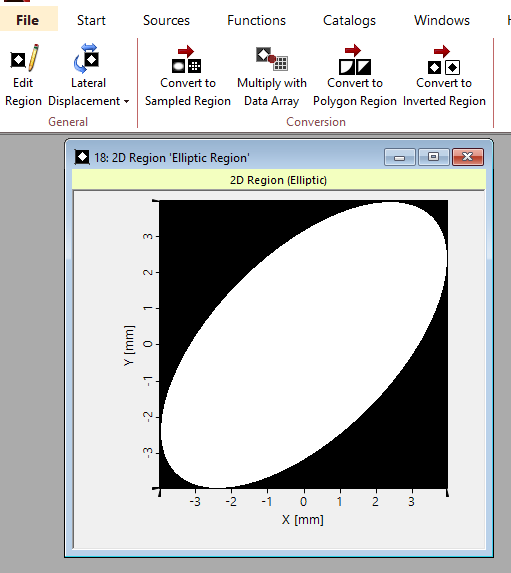
VirtualLab Fusion 2026.2 improves the way regions can be manipulated, converted, and reused across optical workflows.
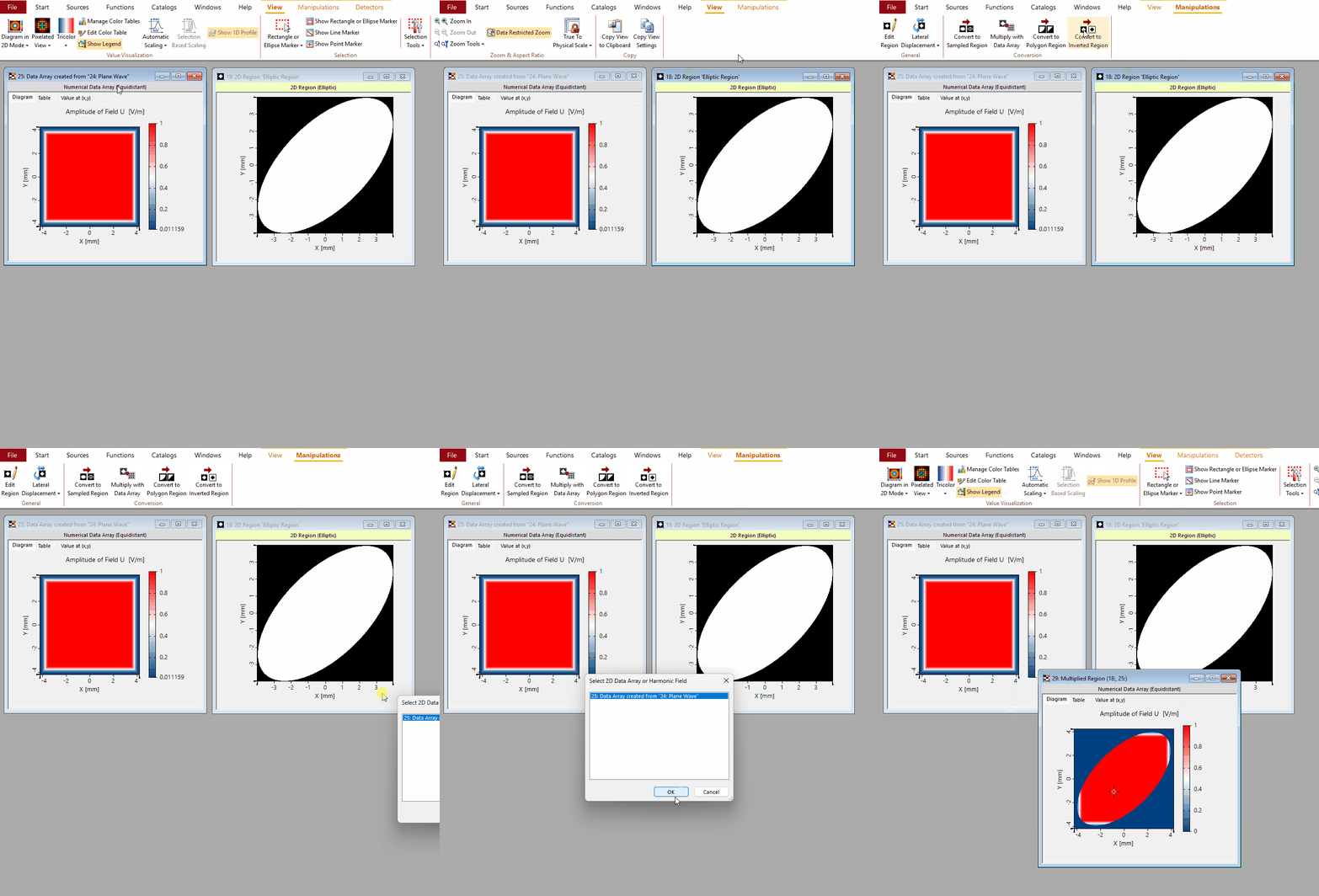
- Regions can now be scaled, shifted, rotated, converted to polygon or inverted regions, and combined with Data Arrays more conveniently.
- The conversion between continuous and sampled regions has been refined.
- Sampling information can be copied from another open document, making it easier to keep region definitions consistent with existing data.
- These improvements are especially useful in workflows that rely heavily on regions, such as IFTA documents and detectors that evaluate quantities over selected regions.
Import, Export, Performance, and Stability
VirtualLab Fusion 2026.2 also includes several import, export, performance, and stability improvements.
- Image and text import can now use Transmission as the target object type.
- Very large 1-bit bitmap files, up to 80,000 x 80,000 pixels, can now be imported.
- The generation of random phase transmissions is now parallelized.
- The display performance of polarization ellipses has been improved.
Documentation and Developer Support
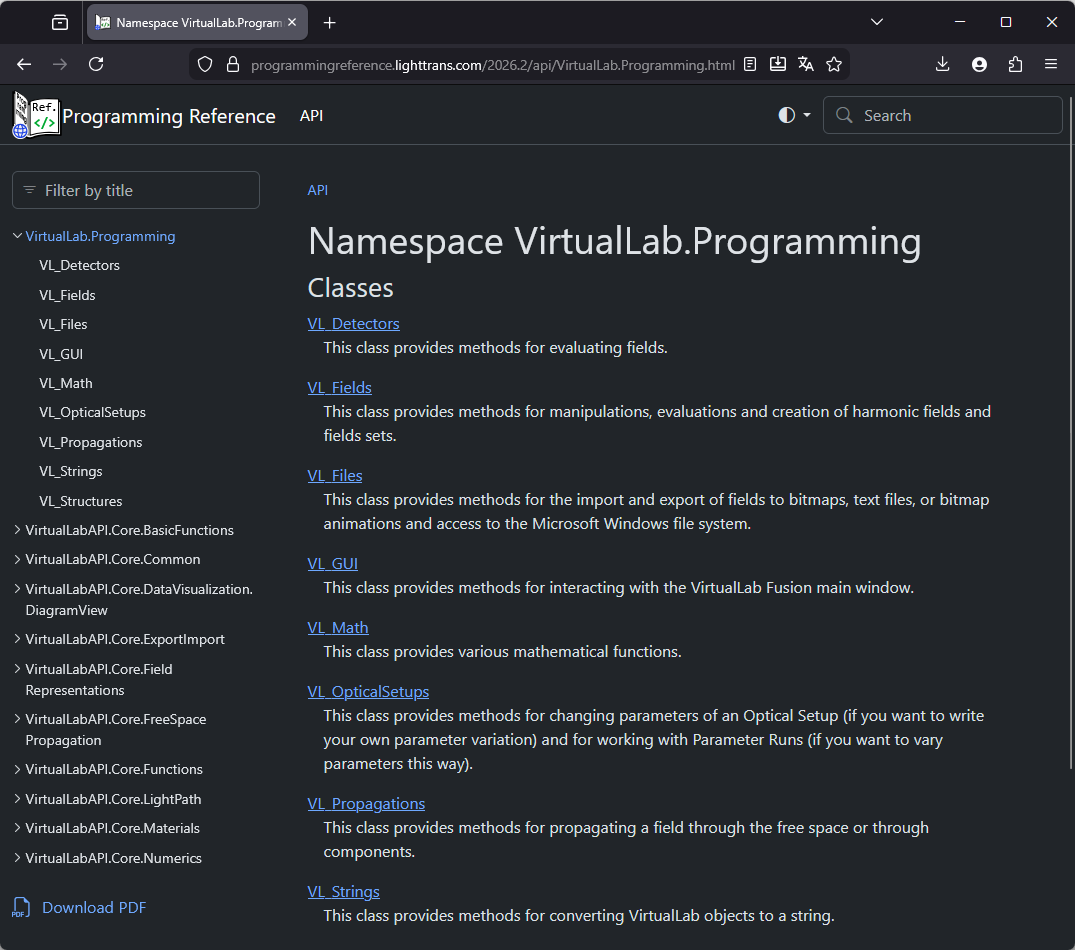
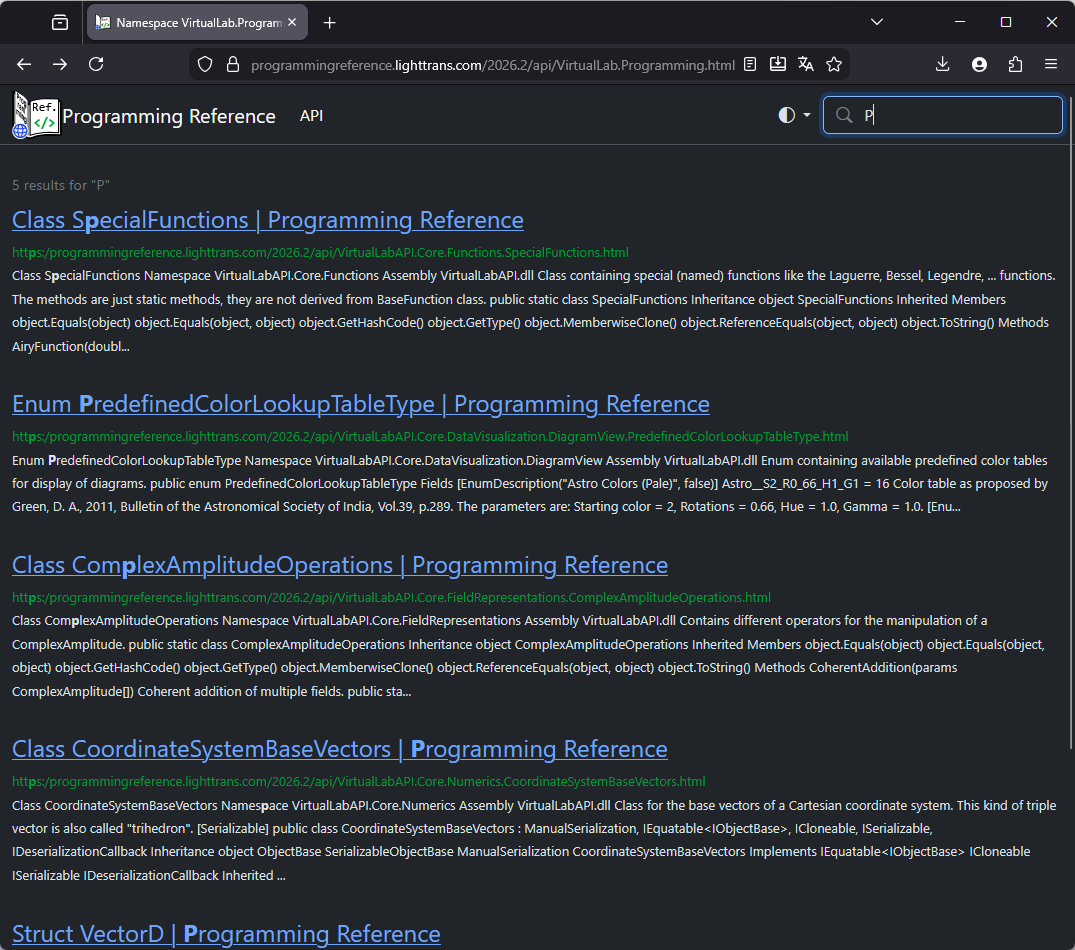
VirtualLab Fusion 2026.2 introduces a new VLF Programming Reference for developers and advanced users working with the programmable interfaces of VirtualLab Fusion.
- The new reference is easier to navigate.
- Quick filtering is available in the table of contents.
- Search results include previews.
- Dark mode is supported.
- Microsoft .NET documentation is linked directly where appropriate.
- The updated structure also makes the documentation easier to maintain and update in shorter cycles.
System Requirements
System requirements remain unchanged from VirtualLab Fusion 2026.1 (Build 1.190). For details, please refer to the System Requirements page.